

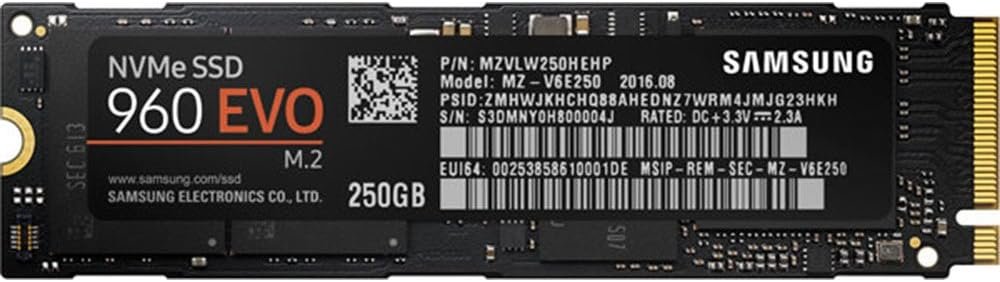
Samsung 250GB 1.8-Inch Series 960 EVO M.2 2280 NVMe Solid State Drive (Reconditioned)
£35.00
- Capacity: 250 GB
- Interface: PCIe 3.0 x4, NVMe 1.2
- S.M.A.R.T. Support
- Trim Support
- AES 256-bit for User Data Encryption, TCG Opal
Out of stock
Description
Discover the next advancement in SSD technology with our high-performance, highly reliable 960 EVO Series NVMe M.2 SSDs. Non-Volatile Memory Express (NVMe) with a new Polaris controller outperforms our SATA SSDs with exceptionally fast read/write speeds, and Samsung TurboWrite technology accelerates write speeds even further. Samsung’s Magician software solution provides advanced functionality to manage, monitor and optimize drive performance.
Additional information
| Weight | 0.009072 kg |
|---|---|
| Digital Storage Capacity | 250 GB |
| Hard Disk Interface | PCIE x 4 |
| Network Connectivity Technology | M.2 |
| Product Features | Portable |
| Hard Disk Form Factor | 1.8 Inches |
| Compatible Devices | Desktop |
| Specific Uses For Product | Gaming |
| Read Speed | 3200 Megabytes Per Second |
| Media Speed | 1500 |
| Cache Memory Installed Size | 64 |
| Data Transfer Rate | 3938 Megabits Per Second |
| Form Factor | Laptop, Desktop |
| Hardware Connectivity | PCIE x 4 |
| Hard-Drive Size | 250 GB |
| Item Weight | 0.02 Pounds |
| Customer Package Type | Standard Packaging |
| Brand Name | Samsung |
| Model Number | MZ-V6E250BW |
| Hard Disk Description | Solid State Drive |
| Model Name | 960 EVO |
| Global Trade Identification Number | 00887276185309, 09154403843335 |
| UPC | 887276185309 |
| ASIN | B01LYFKX41 |
| Item Type Name | Samsung 250 GB 1.8-Inch Series 960 EVO M.2 2280 NVMe Solid State Drive |
| Item height | 0.9 inches |
| Installation Type | Internal Hard Drive |
| Color | Black |
| Enclosure Material | NAND flash memory, PCB |
| Manufacturer | Samsung |
FeedMe –
Building a new Ryzen 7 1700x desktop I was looking at optimising performance at all levels, and started with this. Using the 960 Evo 250GB M2 NVME drive to install my OS and use for a handful of games, performance has been fantastic. Better than a traditional SSD drive? Yes. Worth the extra money? Well, that’s the question! At £100 for 250GB, you’re paying around double for what you would with a traditional SSD drive so you have to decide if you are better served buying this drive, saving £50 or still spending around the same money but getting a disk in the 500GB arena.For me, it did make sense. I’ve paired it with a traditional 1TB 7,200rpm hard disk and will add a 500GB SSD later on down the line. If you have the budget, I’d go for it. If a traditional SSD drive for around half the price will probably yield very similar results for day to day use.
derick a wilkes –
Recently purchased a Dell XPS 8930 which came fitted with Intel optane HDD combo which to be honest was surprisingly good. I just wanted to go down the NVME route so swapped the optane out for this 960 evo m.2, I’ve only installed the operating system on it and got an SSD 500gb running has a second drive. Wow my PC is on and ready to use in under 10 second’s and turns completely off in 4 second’s.Bench marks are pretty much bang on at 3200 read speeds and 1500 write speeds what can I say very happy.
Lilypop –
Purchased at £109 with an eye to the future.Bought to fit underneath a new Asrock mITX AM4 motherboard (new build Ryzen 1600 cpu). Frankly I only bought because I didn’t fancy added one later as this would mean yanking everything back out of the case and wanted the fun of giving the new technology a go. Also the price margin over the more standard SSD 2.5″ drive was only about 30 to 40%. So worth avoid the potential hassle, imo.The increase in speed is due to 4 PCI lanes being assigned to the NVMe drive compared to 1 PCI lane for standard SSD 2.5″ sized drives (these work essentally the same as mechanical drives with no physical delay). These four lanes can operate nearly simultaniously hence you would expect a minimum 4 times increase in sequential read speeds.The difference between the EVO and the PRO version is that the former only performs at top speeds for a limited time frame. In generall unless you’re a professional worker dealing with huge files there is no worth in purchasing the PRO giving the price difference. Those doing more typical home user work, including AAA gaming, will almost certainly never notice the difference between EVO/PRO.Ok now the bad news. These drives run hot, much hotter than SSD and mechanical drives, especially when writing. You may need to consider this before purchasing (see later paragraph). The good news is that they have built in temperature sensors to throttle throughput in effectively the same manner as CPU/GPU throttle. So there is never any chance of burning the drive out. Performance depends on temperature albeit this will always be way above SSD 2.5″ levels.My drive was fitted in a ‘worst-case’ location, underneath the motherboard with a 5 to 10mm gap to the metal shied compartment housing the the PSU, very low forced air flow likely. Temperatures, idle 30C riasing to 60-70C when under full load benchmarking. Saw little sign of throttling but suspect top temperature must be around 70C or so. Have concluded this is fine for gaming as there is little writing and unless I take up video editting can ignore. There are heat spreaders available for these types of drives (rather costly imo), but consider them pointless if the key problem is lack of air flow. Samsung say the labelling is designed to act as a heat spreader, fine whatever.Anyway are they worth a 30 to 40% price premium over the SSD?Franking I am not too interested in benchmarks due to the dependence on temeperature and a general low opinion of there practical worth and prefer to go with ‘feelings’. So subjectively in use, by far the most noticable difference occurs on software installation especially if using Windows Updater 10, clearly a boon with a new build. Big difference on any task that leans heavily on ‘writes’ to the drive. On ‘reads’ little noticeable difference.So my answer to the above question would be: If it’s a new build and you’ve got a suitable NVMe M.2 slot, go for it, otherwise don’t feel you’re missing out on a lot. I wouldn’t be inclined to purchase a PCIe slot expansion card to utilise a NVMe drive other than the fun of doing it.FWIW: My main concern on purchasing was whether I could directly install the OS on the drive without hassle. With Window Updater 10 (Build 1709) and the Asrock mITX Ryzen mobo (Bios 3.6) had no problems at all.Also looked/researched other brands of NVMe drive and considered it a no-contest to go for Samsung. The price margin just was not big enough although the other brands were will almost certainly be subjectively similar (except for Intel which I would avoid). Of course in time this will not be the case. Also note that very similar looking M.2 slot drives are SATA (and thus appear cheap) and not NVMe (VERY IMPORTANT DIFFERENCE, see above), there performance is little better than SSD 2.5″ (and sometimes worst!).
ToeJam85 –
Fast? Fast is probably not the word I’d use for this drive, BLAZING FAST is probably more accurate.Even compared to my existing SATA SSD, This PCIE m.2 drive absolutely blows it away in terms of raw throughput.Get one now, RIGHT NOW, STOP READING, BUY ONE.